



Description
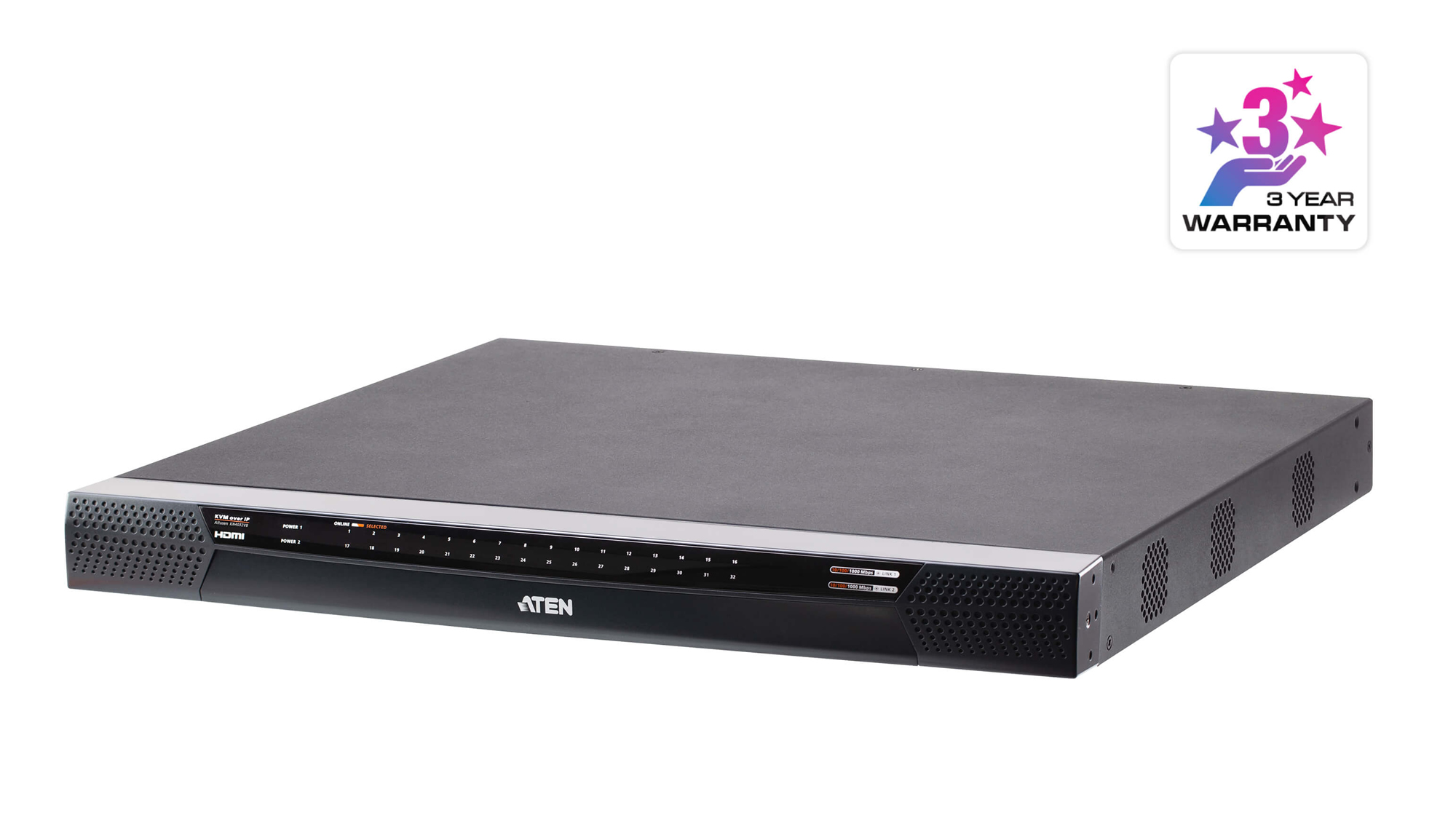
The KN4032VB series KVM over IP switch provides local console and remote over IP access for users to monitor and access their entire data center over a network. The KN series offers superior FHD video resolution up to 1920 x 1200, virtual media transmissions at double speed, FIPS 140-2 with level 1 security standards by using an embedded FIPS 140-2 certified OpenSSL cryptographic module. Equipped with dual on-board NICs, the KN series is built to ensure reliability and availability of remote access to all servers. The KN series can be remotely accessed via WinClient / JavaClient* at a console from a separated location for management and operation. ATEN also provides an iOS app – PadClient, whose intuitive interface makes it easy to connect to the KVM over IP switch and control computers direct from user’s iPad. Please visit the PadClient webpage for more information.
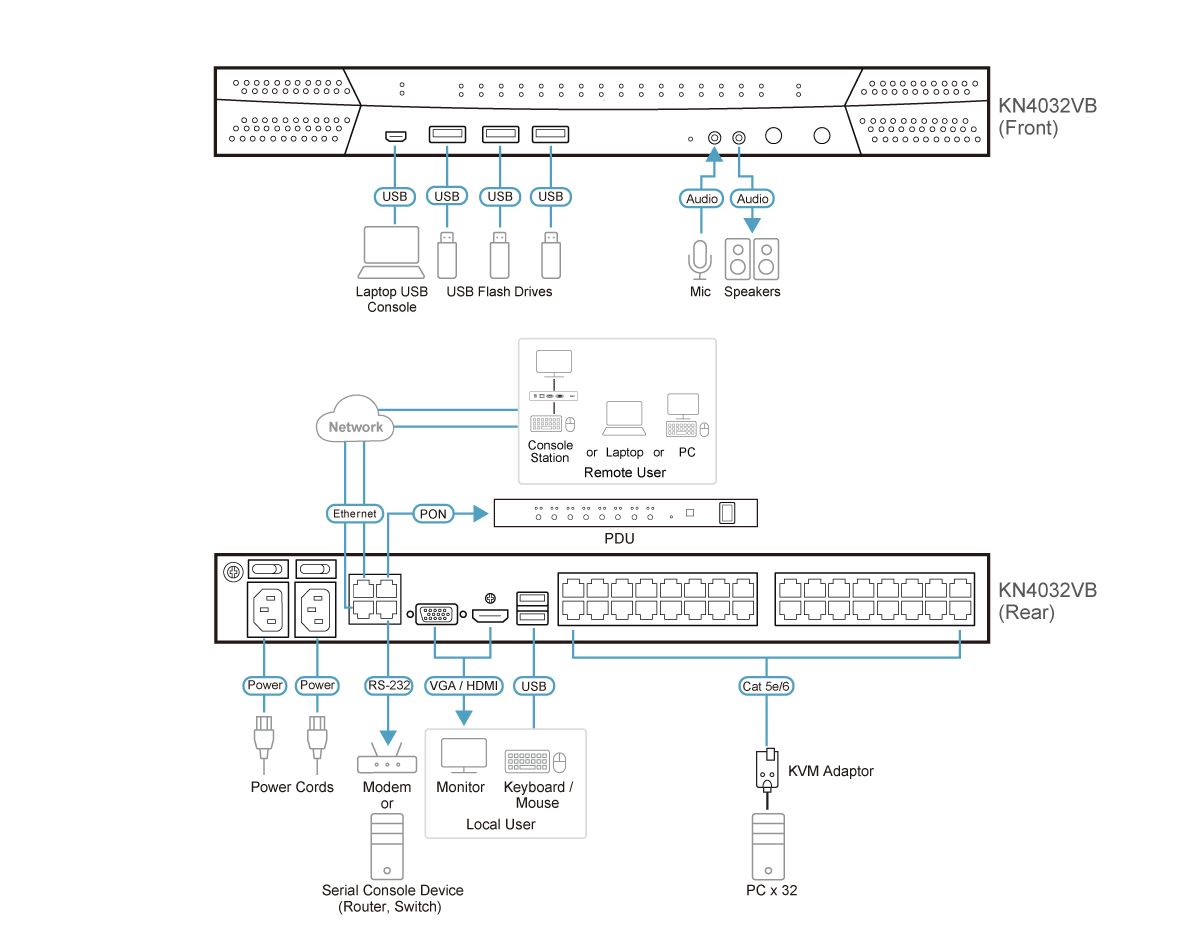
This KVM switch provides out-of-band access with external modem support for BIOS-level troubleshooting when the network is down. It enables IT administrators to manage network devices (e.g. server, storage, router, and switch) in server rooms via management networks that are separate from the main / production networks. If there’s difficulty in accessing the network devices through the production network, the administrators can still access them via the KVM switch. The KVM switch offers several out-of-band access methods, such as a direct console connection from a local computer, a USB console connection from a laptop, a PSTN connection via modem, or a dedicated management network connection via the Ethernet (LAN) port.
The KN series can be integrated into ATEN’s CC2000 Centralized Management Software. The CC2000 delivers a better user experience and advanced usability. By utilizing consolidated data, task-based navigation, and simplified menus,administrators can access, configure, and manage all of the IT equipments with ease.
The KN series is compatible with ATEN’s KVM over IP Console Station – the KA82 series. The KA82 series is a standalone console that replaces PC or NB, enabling users to remotely access, monitor and control all servers connected to multiple ATEN’s KN series with impenetrable security against virus threats. It is especially suitable for environments where a PC is not allowed. In addition, the KN series works with ATEN’s PDU remote power management systems from the KVM over IP switches’ user interface.
Additional exclusive features of KN series include Message Board, Panel Array Mode, Mouse DynaSync™, and the adapter ID. ATEN KVM over IP switches save user’s time and money by allowing administrators to manage their data centers from practically anywhere – minimizing travel and MTTR (Mean Time to Repair) costs, ensuring the highest availability for data center services.
Note:
We recommend using WinClient app or JavaClient app for more robust management and control. Performance and usage may vary depending on the user’s hardware configuration. A minimum of 8GB RAM, dual core CPU and a graphics card that supports OpenGL is required. Please also make sure that the browser is the latest version.
Features
Hardware
- High port density – RJ-45 connectors and Cat 5e / 6 cable for up to 32 ports in 1U housing
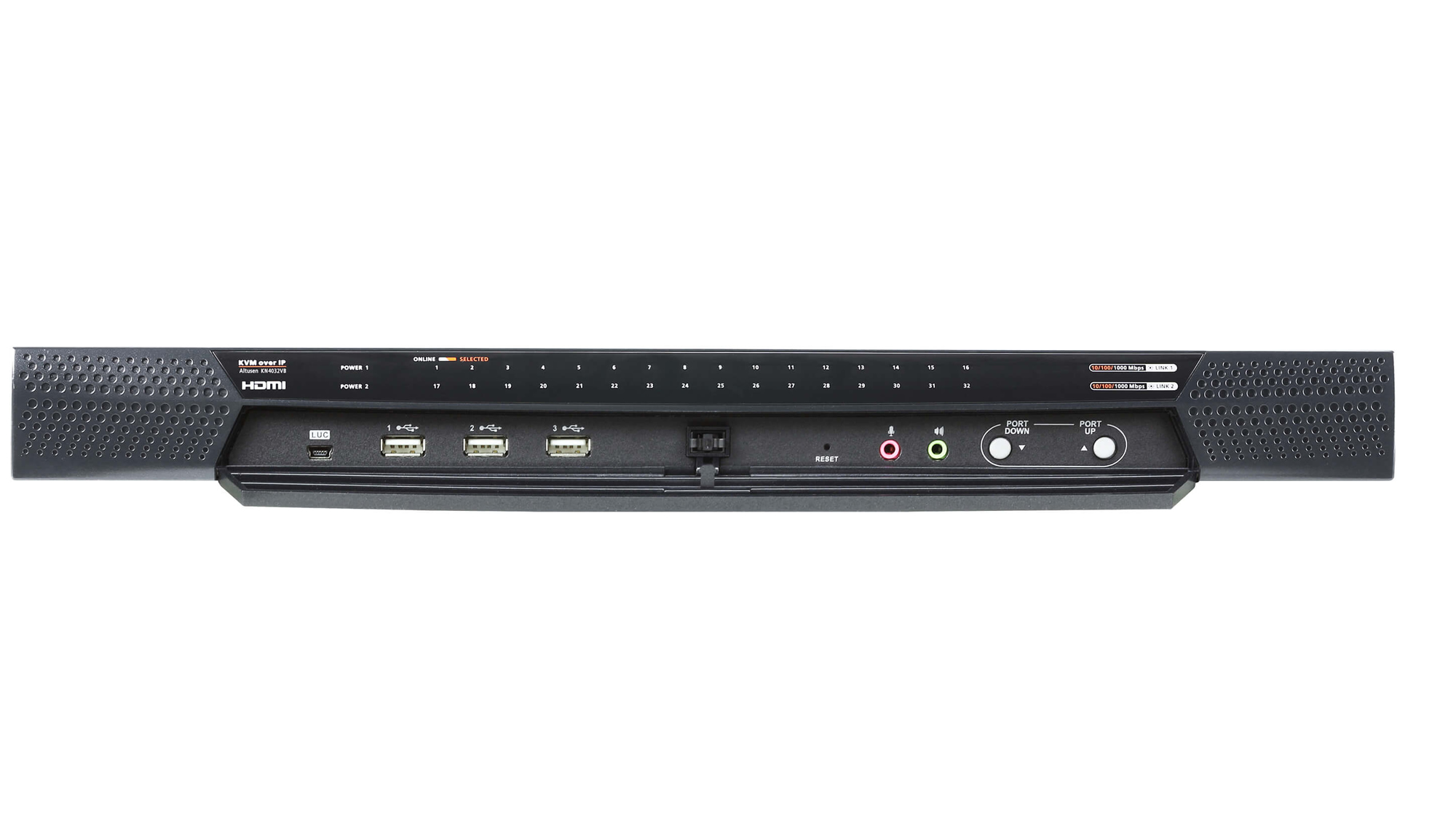
- Laptop USB Console (LUC) – dedicated USB port for direct laptop console operation
- Four separate buses for remote KVM over IP access (varies by model)
- Dual 10 / 100 / 1000 Mbps NICs for redundant LAN or dual IP operation
- Blade server support
- Supports PS/2, USB, Sun Legacy, and serial (RS-232) connectivity
- Multiplatform server environments: Windows, Mac, Sun, Linux, and VT100-based serial devices
- Audio enabled
- Dual power supply
- Video resolution up to 1920 × 1200 @ 60 Hz with 24-bit color depth
- Cascadable – controls up to 512 computers
Management
- Four separate buses for both local and remote KVM over IP access
- Integrated with ATEN CC2000 Centralized Management Software and CCVSR Video Session Recording Software
- Supports up to 64 user accounts and 32 concurrent management logins
- Green IT Fan – automatic fan-speed adjustment based on temperature
- Event logging with Windows-based log server
- Event notifications via SMTP email, SNMP Trap, and SMS (with additional mobile devices)
- Event log destinations: Log server, Syslog server, and USB drive
- Firmware upgradeable
- Out-of-Band access – modem dial-in, dial-out, and dial-back support
- Adapter ID – stores port information allowing server relocation without reconfiguration
- Port Share Mode – allows multiple users to access a server simultaneously
- Supports ATEN KVM over IP Console Station (KA82xx series)
- Power association with ATEN PDUs for remote power management
- Supports IPv4 and IPv6
Easy-to-Use Interface
- Supports PadClient application on an iPad for mobile management
- Panel Array Mode™ – monitors all ports in a grid display (local and remote)
- Unified multi-language interface via local console, browser-based, and AP GUIs
- Multiplatform client support: Windows, macOS, Linux, and Sun
- Multi-browser support: Internet Explorer, Chrome, Firefox, Safari, Opera, and Netscape
- Pure web-based GUI – no pre-installed software required (no Java)
- HTML5 WebClient viewer for web-friendly KVM over IP access
- Multiple virtual remote desktop sessions per login
- Full-screen, resizable, and scalable virtual remote desktop
- Keyboard and mouse broadcast across multiple servers simultaneously
- Video synchronization with local console using stored EDID information
Security
- FIPS 140-2 Level 1 compliant security using certified OpenSSL cryptographic module
- Remote authentication support: RADIUS, LDAP, LDAPS, and Microsoft Active Directory
- TLS 1.2 support with 128-bit SSL, 256-bit AES encryption, and 2048-bit RSA certificates
- IP and MAC filtering support
- Configurable user and group permissions
- Automated CSR creation utility and third-party CA certificate authentication
Virtual Media
- Enhanced data transmission performance for file transfers, OS patching, software installation, and diagnostics
- Works with USB-enabled servers at both OS and BIOS levels
- Supports USB 2.0 DVD / CD drives, USB mass storage devices, PC hard drives, and ISO images
Virtual Remote Desktop
- Adjustable video quality settings (monochrome, color depth, noise, bandwidth) for optimized data transfer
- Mouse DynaSync™ – automatically synchronizes local and remote mouse movements
- On-screen keyboard with multi-language support
- BIOS-level access for troubleshooting
Reviews
There are no reviews yet.