
Description
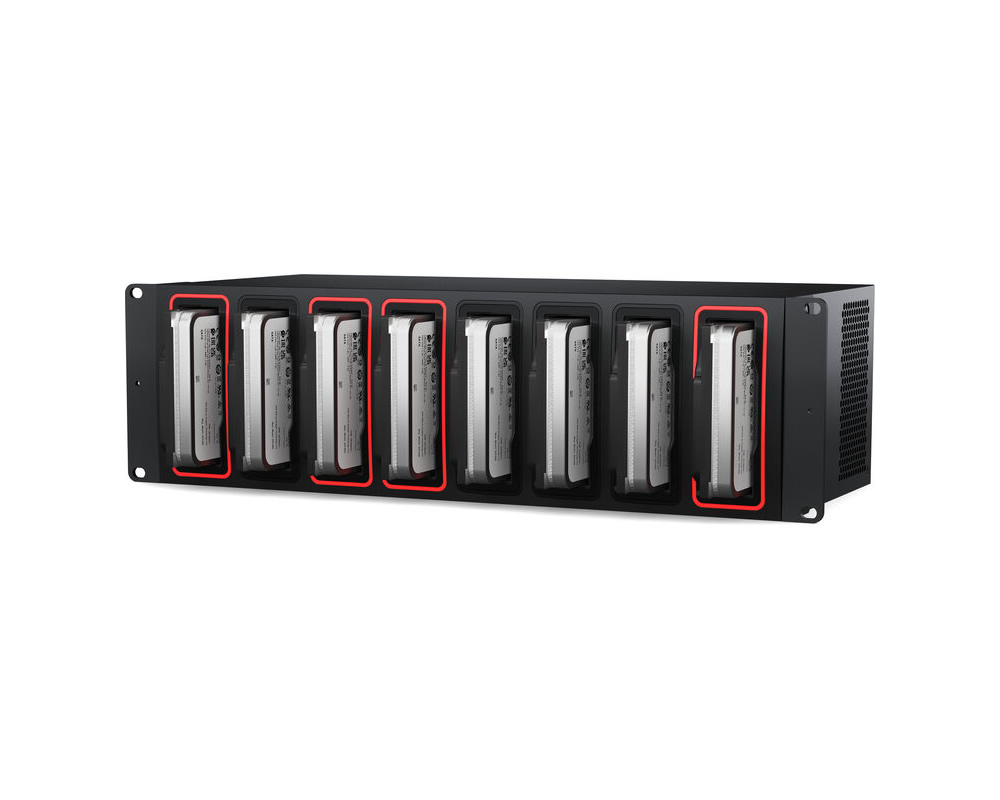
The Cloud Backup 8 from Blackmagic Design is made for post-production workflows where users need to archive projects to low-cost storage, which is accomplished using 8 x SATA 3.5″ drive bays. The Cloud Backup 8 also syncs to the Blackmagic Cloud for backing up collaborative projects in DaVinci Resolve. When the drives are full, they may be removed and replaced with new ones for increased storage. The Cloud Backup 8 is equipped with four 10Gb Ethernet ports, a 5 Gb/s USB-C 3.2 Gen 1 port that also supports Ethernet, and an HDMI output for real time monitoring. Compatible with Windows and Mac, this unit features a rackmount form factor and has no associated subscription costs.Back Up and Share Your Media to Hard Disks
The Blackmagic Cloud Backup 8 lets you use inexpensive computer hard drives to back up your media files. It even syncs to Blackmagic Cloud for backing up collaborative projects in DaVinci Resolve. Each hard disk slot is totally independent, so you can mount up to 8 backup disks simultaneously. Then, when full, you can unplug the disks and replace them with new, blank ones to increase your archive storage capacity. You also get 4 x 10Gb Ethernet ports to keep up with fast, high-capacity hard disks. Hard disks offer the lowest cost per TB of storage and are fast, making them ideal for archiving older projects. Plus, there’s an HDMI monitor output that shows storage status.
Designed for Film and Television
Blackmagic Cloud Backup 8 is an ideal solution for post-production workflows where you have completed projects that require fast archiving to low cost storage. It’s great for creating replay archives, as media files can become large when recording multiple ISO channels. You can even use it for education to manage numerous student media projects. Plus, there’s a security bar included so you can lock the disks and prevent their removal. Modern hard disks are so fast they can also be used as primary storage, not just for archiving purposes. Additionally, you can archive projects from Blackmagic Cloud, ensuring a live backup that continuously syncs to your project while you edit.
Rackmount Design
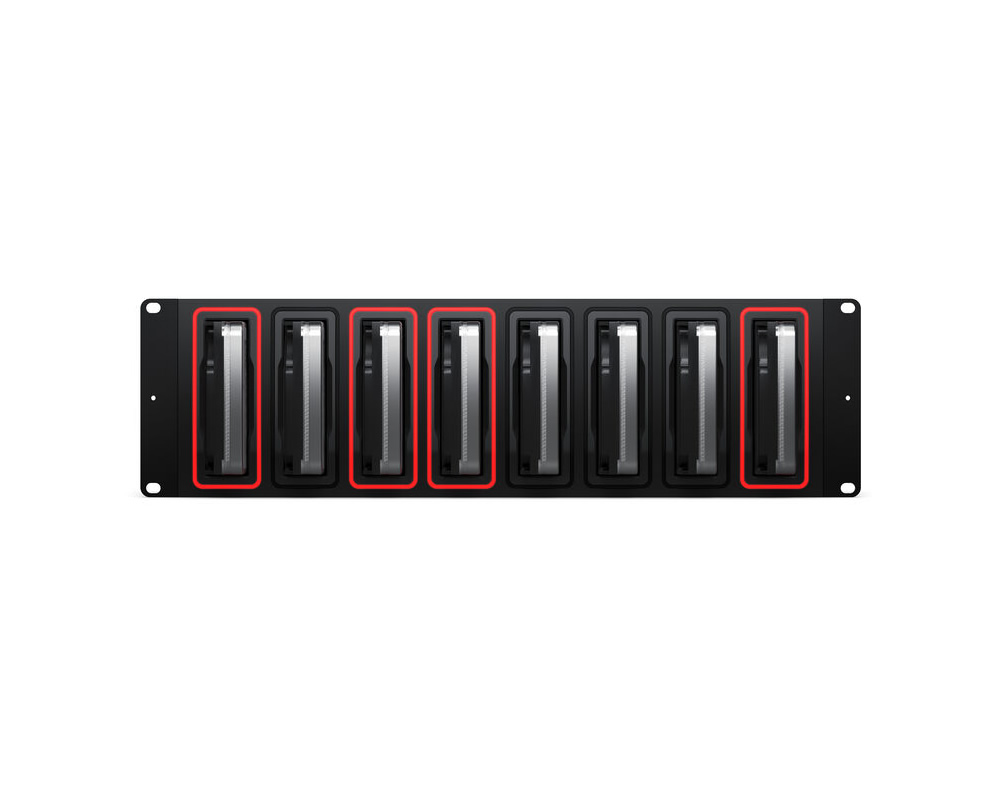
Blackmagic Cloud Backup 8 features a rackmount design, making it an ideal choice for installation in a studio alongside other network equipment or for camera backups in a DIT cart on set. This ensures you always have a second backup to keep your camera files safe. You get 8 independent hard disk slots, with all disks available simultaneously over the network. Plus, there’s a built-in 4-port 10Gb Ethernet switch for high performance. There’s also an HDMI output to watch a live graphic view of storage operations on a TV or monitor. Each slot is illuminated with a light ring that shows disk activity, allowing you to know when the disk is being read from or written to.
Ports and Connectivity
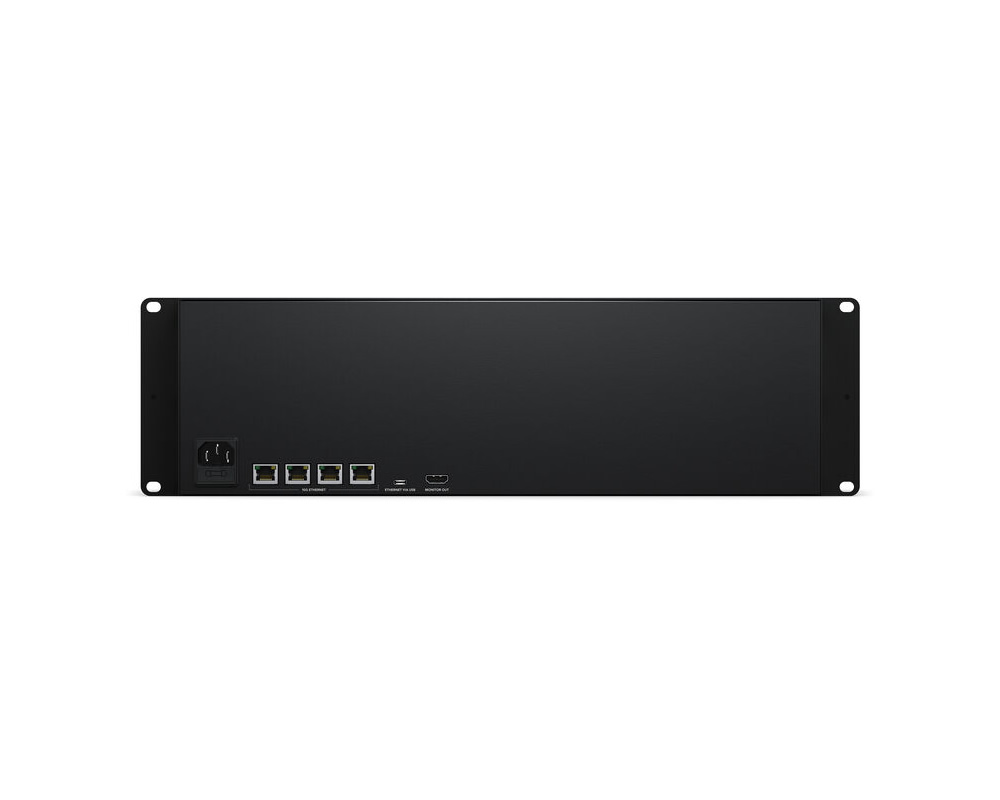
An IEC power socket is included to connect AC power. All international AC voltages are supported, enabling global use.
10G Ethernet allows high-speed computers to be connected, even when many users are connected at the same time. It’s ideal for connecting to modern 10Gb Ethernet switches.
Ethernet via USB-C allows access to the disks for file management from a laptop, while reserving high-speed Ethernet ports for networked users.
The HDMI monitor output allows real-time monitoring with a storage map, speed graphs, sync status, active users, and power status.
High-Performance 10Gb Ethernet
The Blackmagic Cloud Backup 8 has up to four high-speed 10Gb Ethernet ports, offering up to 10 times the speed of regular Ethernet. Many computers can be upgraded to support this, allowing high-speed workflows even with dozens of users accessing files simultaneously. It also offers low latency and performance comparable to high-end business SAN systems in a cost-effective design.
Intelligent Sync to Blackmagic Cloud
Creative teams can share a single local cache of media synced to Blackmagic Cloud, enabling a global workflow. Blackmagic Cloud handles sync automatically, duplicating media across multiple locations for safety and enabling fast local access. Continuous backups eliminate manual archiving. Completed jobs remain stored on the Cloud Backup 8 disks, freeing space on primary storage. Proxy workflows are also supported, transferring proxies first, then original media, so projects can be reopened quickly.
Add Cloud Service: Connect to the internet and enter your Blackmagic Cloud ID to enable sync.
Set Sync Folders: Define folders for syncing different projects.
Set Sync Direction: Choose one-way or two-way sync depending on workflow needs.
Real Time Monitoring
The HDMI monitoring output provides a live status view of the system. It displays a storage map, real-time read/write activity, Ethernet transfer graphs, disk capacity usage, sync status, connected users, and power status.
Usage Indicator: Shows used and total storage capacity.
Customizable Name: Rename the unit for easy identification via the utility software.
Storage Map: Displays disk activity with visual indicators for reads and writes.
Cloud Sync Status: Shows sync folder activity and transfer progress.
User Connections: Displays connected users and their data usage.
Cloud Dock Status: Shows hardware, disk, and connection status.
Speed Graphs: Displays Ethernet data transfer speeds for performance monitoring.
No Subscription Costs
The Blackmagic Cloud Backup 8 provides private storage with full local control and no subscription fees. There are no monthly costs or usage tracking. It includes free software for managing storage settings on Mac and Windows, and can operate completely offline for secure environments.
Free Software for Mac and Windows
Settings can be managed using the Blackmagic Cloud Backup 8 utility available for Mac and Windows. The same utility works with other Blackmagic storage products. By default, the device uses DHCP, allowing quick setup—just plug it in and start transferring files. Advanced settings and cloud sync configurations can also be managed through the software.