Description
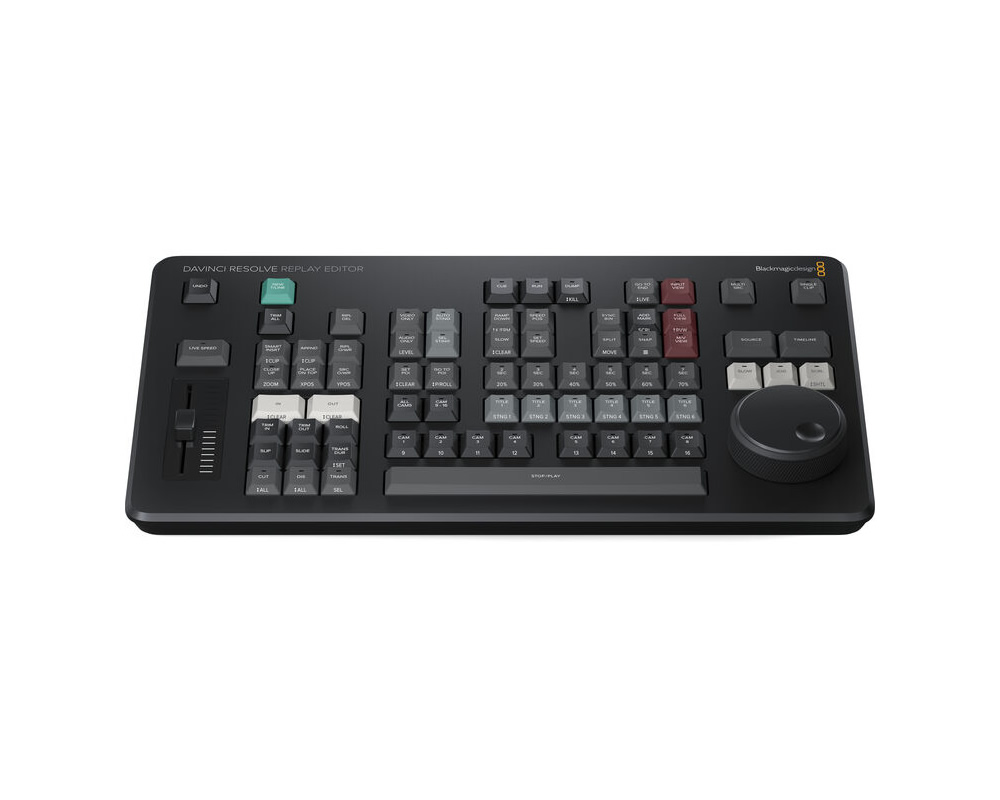
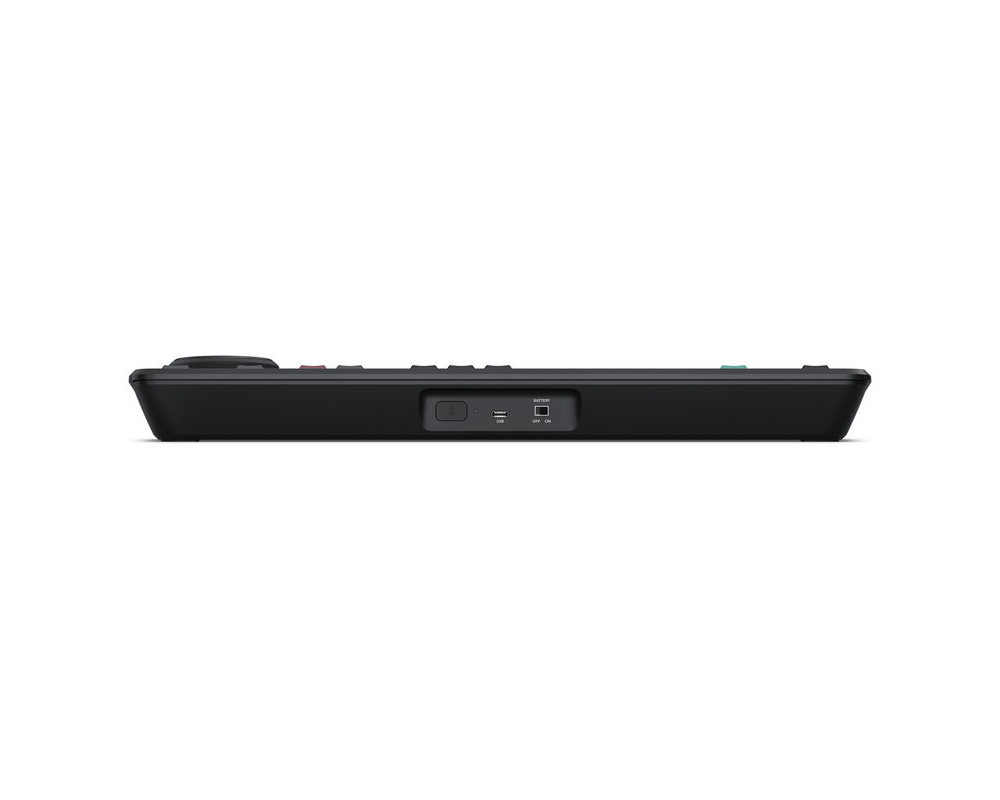
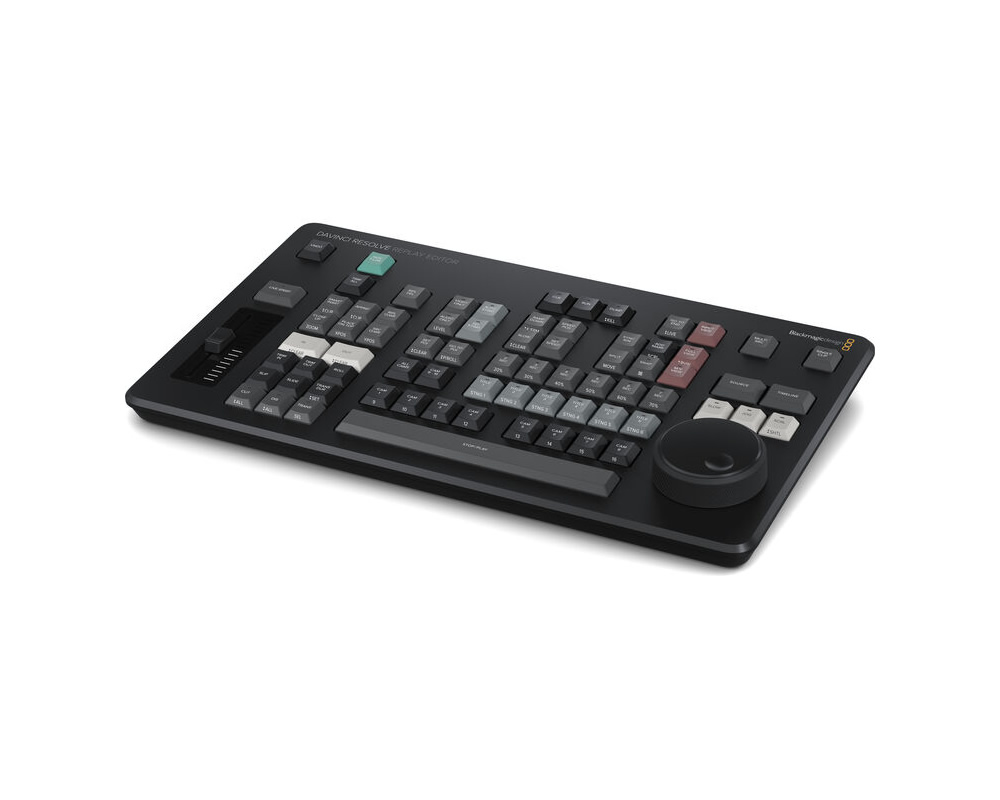
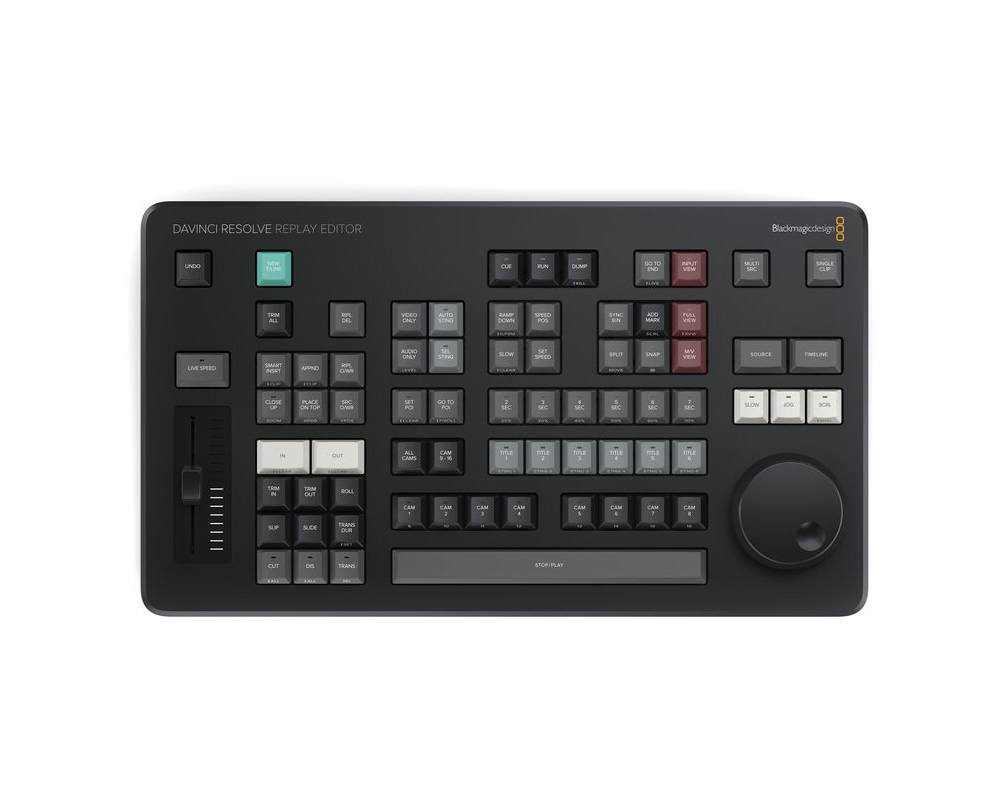
The Blackmagic Design DaVinci Resolve Replay Editor combines features for both replay and multicam editing in a single hardware control panel for live sports and news-cutting applications. Multiple keys toggle between inputs, set Point-of-Interests, and enable an auto stinger, among other functions. The panel connects to your preexisting network via Bluetooth 5.1 LE technology. A large internal battery keeps the panel going for long production days and can be turned on and off with an onboard switch. Charge the battery or use a separately available power supply via the USB-C port.
View Live Input
Change the viewer to a direct input from video hardware such as a switcher multiview.
Set Point-of-Interest
To mark an event during your broadcast, press the POI button or the space bar when your desired input is selected. This will set the POI time from the input timecode, switch to the source view, and cue the POI.
Go to End
Press “Go to End” if you get distracted while editing your selected clip and miss an event. This takes you to the end of the recently recorded media and allows you to scroll back and see what happened.
Find the Best Angle
DaVinci Resolve can play all of your camera angles simultaneously into a multiview configuration so you can use your Replay Editor and find the best angle for your replay.
Auto Stinger
Enable an auto stinger before you start a replay to automatically roll a stinger before or after rolling your clip. You can select different stingers using the title keys.
Set Transitions
When rolling a replay, use the cut and dissolve buttons to select the type of transition you want. Each time you select a new camera you will see your transition of choice.
Start Replay
The run button starts a replay and enables the key channel output so the switcher will display the playback and start the auto stinger. It also starts logging when adding the replay to the timeline.
Set Playback Speed
Execute live speed changes with the slider control to slow playback speed on both the viewer and the timeline. When you slow all the way to stop the search dial lets you move around the paused area.
Switch Between Cameras
Use the camera buttons to cut between up to 16 sources when playing to air. The viewer will continue to show a multiview and the selected camera will output to the video output.
Sequence Shots
If you press a time key and a cam button while playing to air, DaVinci Resolve will jump playback to the selected time before the POI.
Stop Replay
The dump button stops replay and adds the shots to the timeline if one is selected. It can also run the auto stinger.
New Timelines
The new timeline key will save the current timeline and open a new one with a similar name. This allows you to efficiently create a new timeline for each replay clip.
Free Ground Shipping
We offer free ground shipping on every purchase of $300 and more for US and US territory. Please choose "Free Ground Shipping (UPS/USPS)" option at checkout.
UPS Ground
UPS provides up-to-date tracking information. Ground service takes anywhere from 2-7 working days for delivery depending on destinations. UPS Ground does not deliver on Saturdays, Sundays or Holidays.
USPS Priority Mail/USPS Express Mail
For all shipments shipped via USPS, we offer 'DELIVERY CONFIRMATION' number with each package. Difference between tracking number provided by UPS vs USPS Delivery Confirmation number is: Delivery Confirmation status is updated when the delivery has been made or when the package has made it through major USPS stations.
Air Shipment
Air shipments, Overnight, 2nd day and 3 day select methods offer guaranteed delivery time for your shipment. If you are in hurry or in need for the items on schedule, select one of these methods. Up-to-date tracking information is provided with each Air Shipment. AVProSupply has the right to choose between Air shipments to meet or reduce delivery time. For guaranteed delivery of multiple items with expedited shipping, please contact our customer service representative for personalized assistance to get your items delivered to you when you need them.
International Customers
We offer shipping via USPS/UPS for our international customers. You can find different shipping options during checkout.
Most items ordered from AVProSupply will be shipped out from our California Warehouse. Will-Calls are only allowed with Appointment Only - Please call Customer Service to set one up between the hours of 9am to 6pm PST.
We Offer A 30-Day Money Back Guarantee:
Our main goal is to ensure your complete satisfaction with our service and products. If, for any reason, you are not 100% satisfied with your purchase, you can return it within 30 days of the purchase date for a full refund. Our 30-day money back guarantee applies to all of the products we sell, except for: TVs and monitors 20" and larger, Special Order merchandise, or any item indicated as non-returnable. Shipping is not refundable. Prior to returning your purchase, a Return Merchandise Authorization (RMA) number will be provided to you.
Refunds:
Refunds on returned items will be issued in the same payment form as received from the customer at the time of purchase. Once we receive the product and it passes inspection, we will credit your account. Please allow 3 - 6 business days for a credit to appear on your account.
Exchanges:
If the item was sent back to us for an exchange, please allow 3 - 5 business days for the replacement to be processed.
No Returns/Exchanges on the following:
- TVs and monitors 20" and larger
- Special Order merchandise
- Any item indicated on the website as non-returnable
For more information see our official Return Policy



 Download Manual